
Deploy Community Edition on Synology NAS
This guide describes how to deploy SurveyKing Community Edition on a Synology NAS using Docker Compose. This method is suitable for users who want to run SurveyKing within their local network without needing to install Java manually.
Use Cases
- You have a Synology NAS and have already installed Container Manager.
- You want to run SurveyKing long-term within your home, office, or school network.
- You want to store data, attachments, and logs in fixed directories on the NAS for easy backups.
NAS deployments are intended for internal networks. To enable external access, configure port forwarding, reverse proxying, or a VPN separately.
Steps
1. Open Container Manager
Install and open Container Manager from the DSM Package Center.
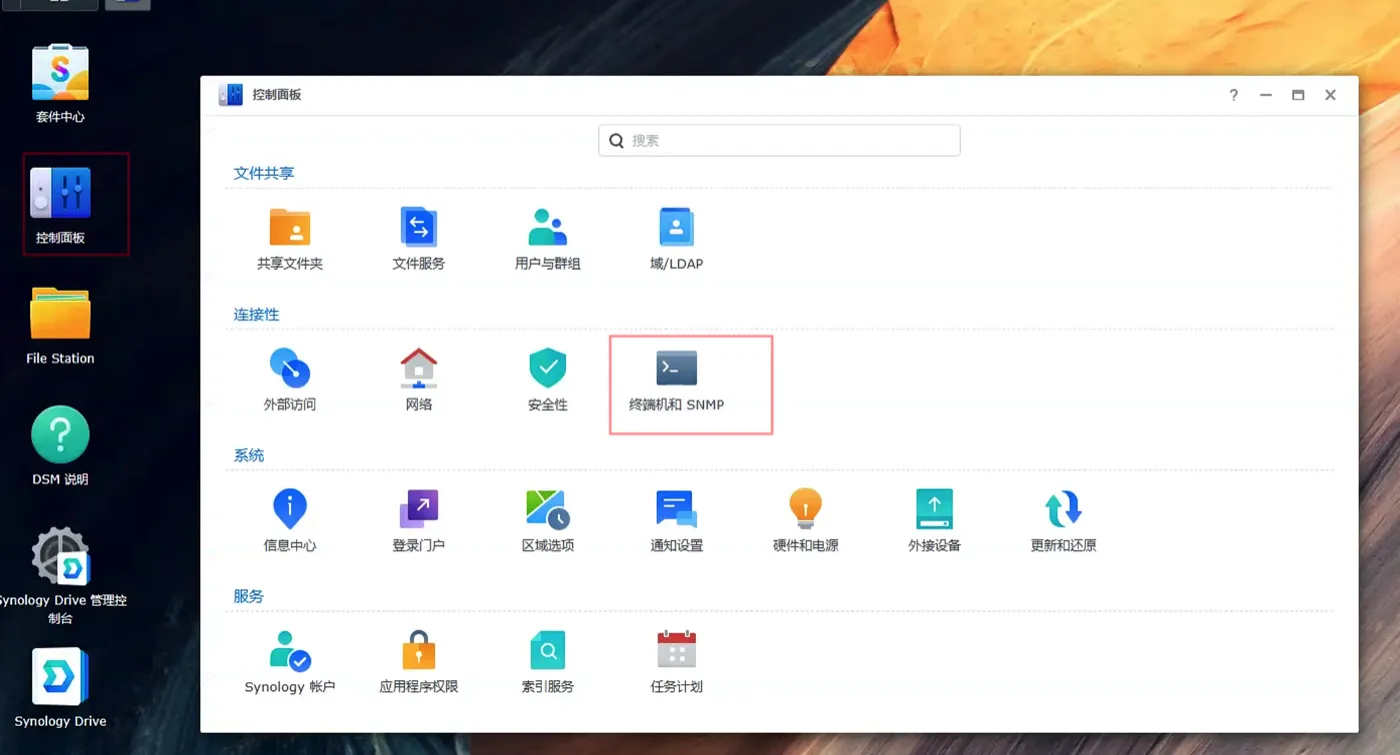
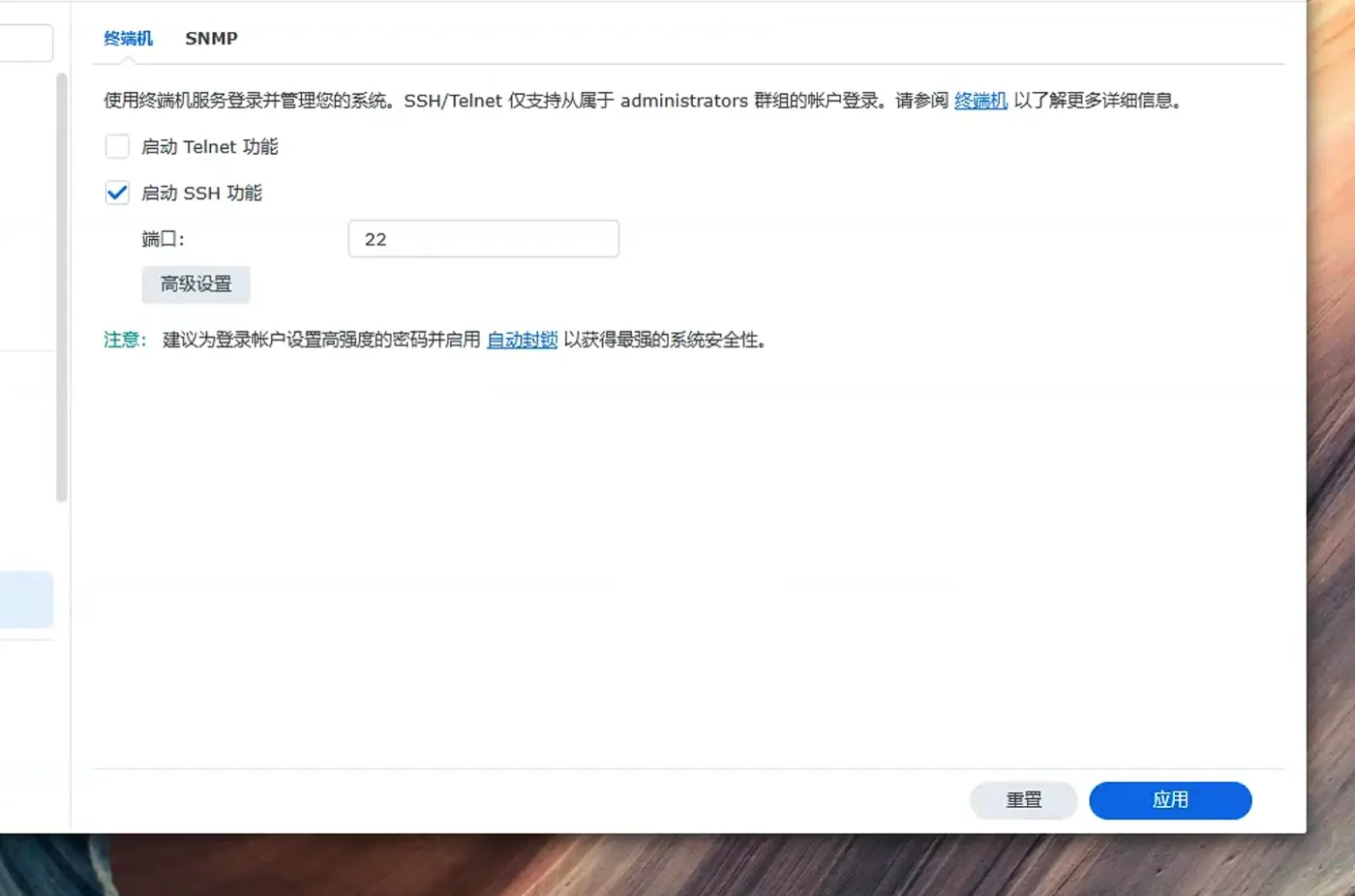
If you need to use commands to troubleshoot issues later, enable SSH by going to Control Panel → Terminal & SNMP, and check Enable SSH service.
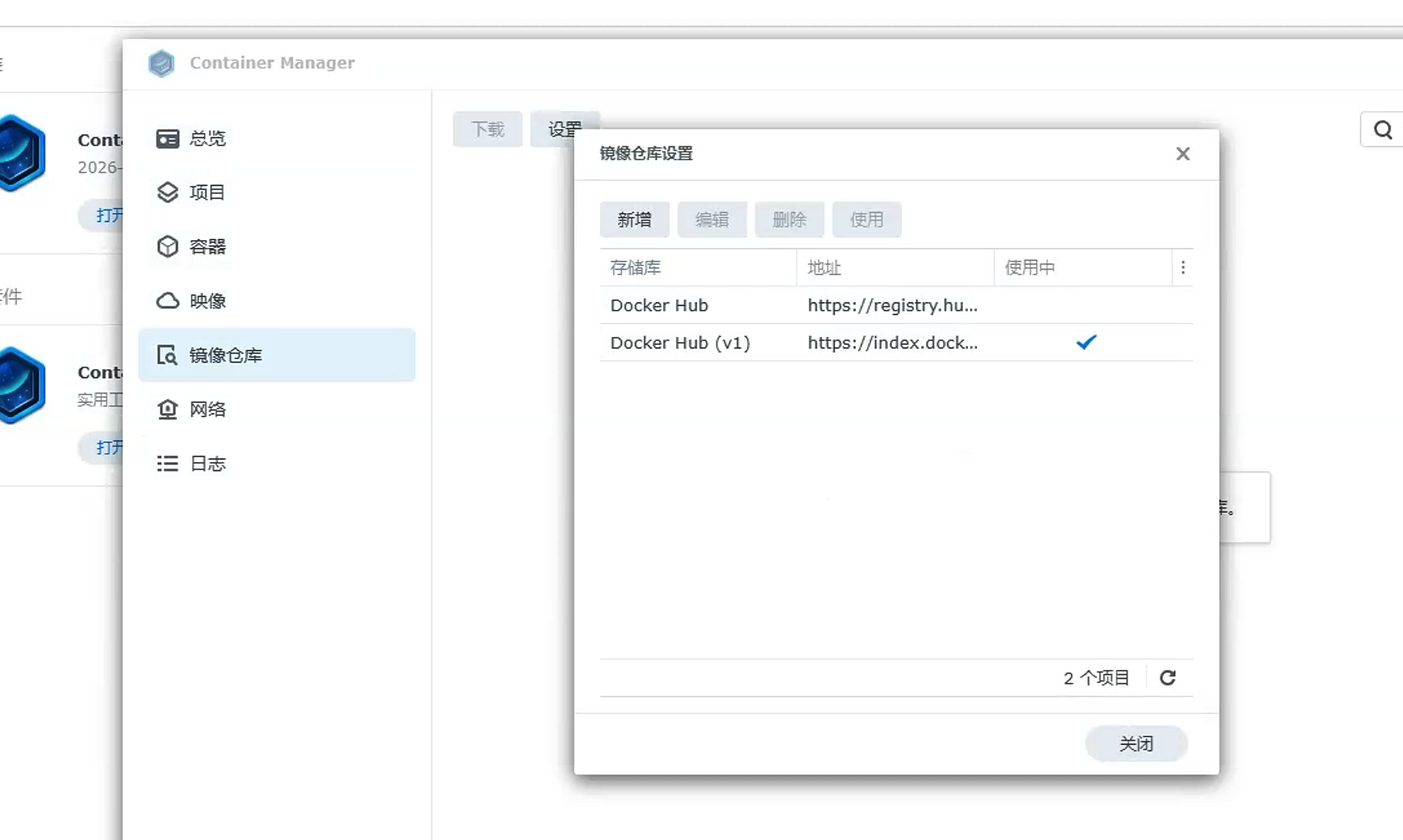
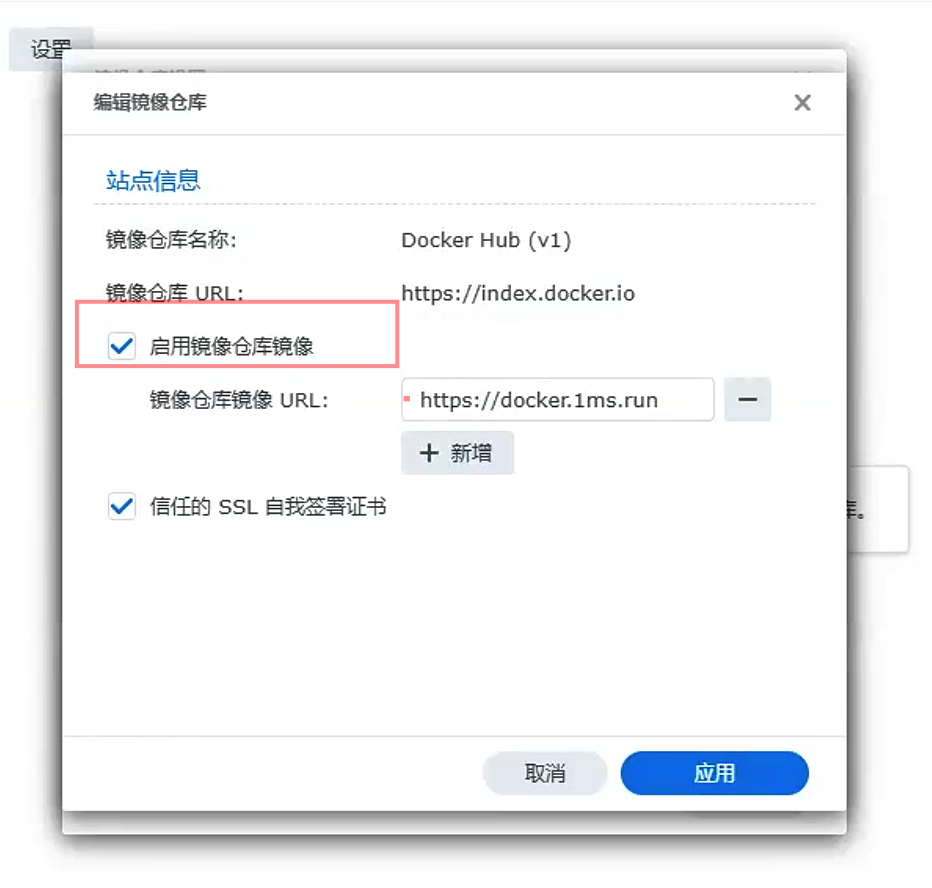
If image downloads are slow, go to Container Manager → Registry → Settings and add an image pull acceleration address.
2. Prepare Project Directory
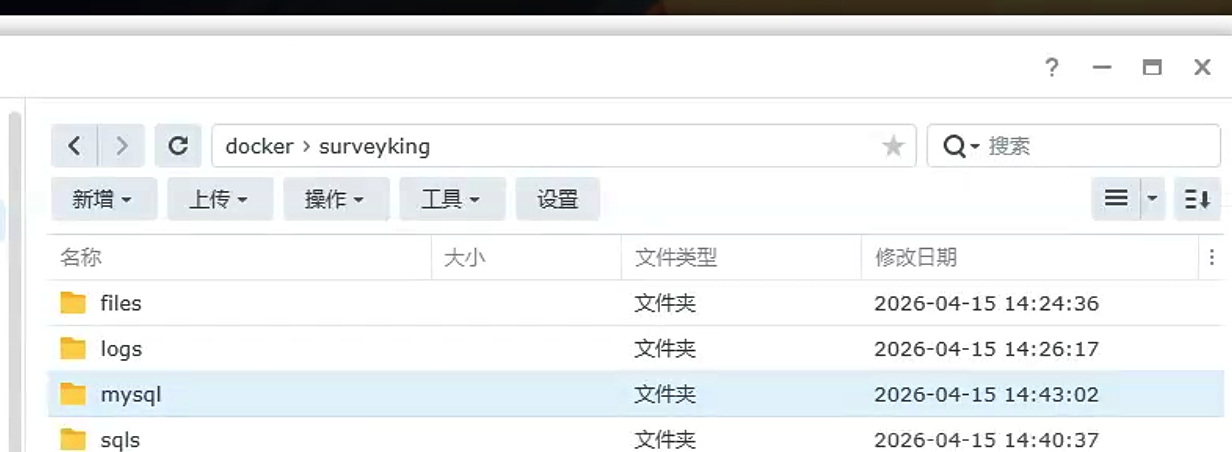
Open File Station and create a surveyking folder in the docker directory.
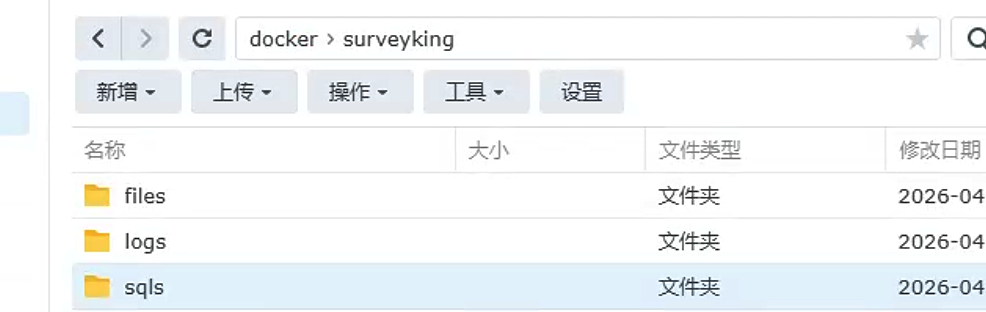
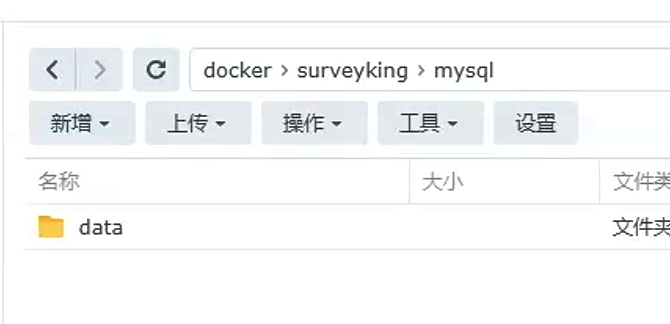
Then, enter surveyking and create the following folders:
| Folder | Purpose |
|---|---|
files | Uploaded attachments |
logs | Running logs |
mysql/data | MySQL database files |
sqls | For manual SQL maintenance |
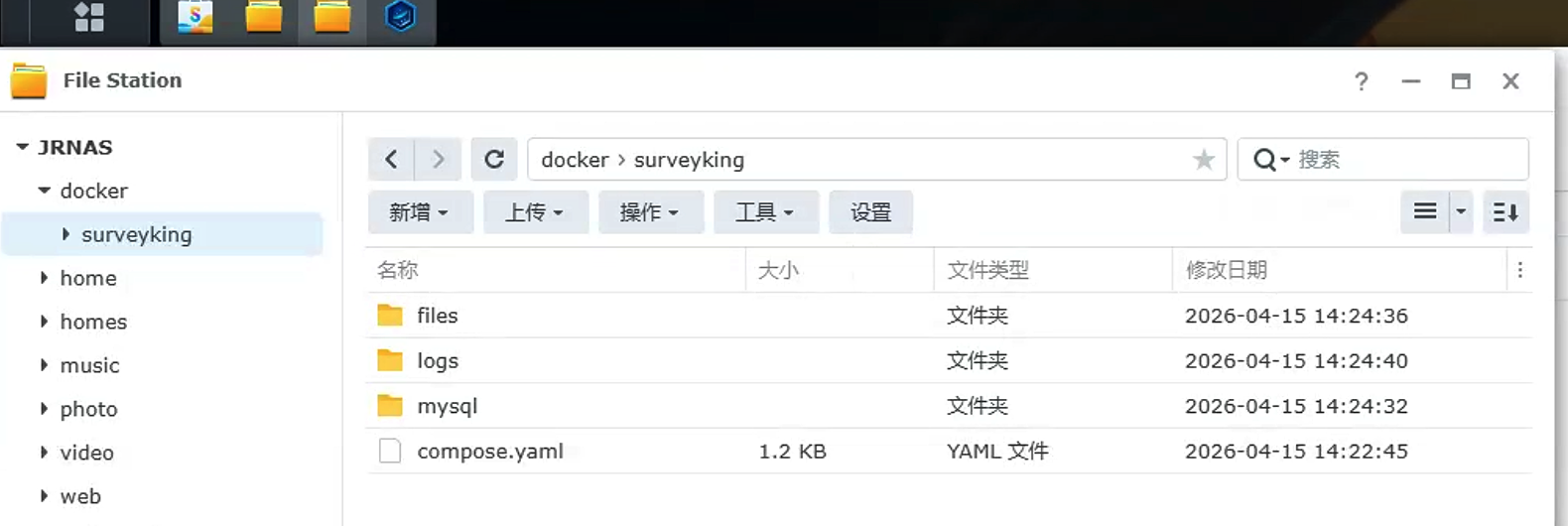
The mysql/data folder contains the database directory; do not delete it. Deletion will result in data loss for questionnaires, users, and submissions.
3. Create Project and Paste Compose
Go to Container Manager → Projects, click Add.
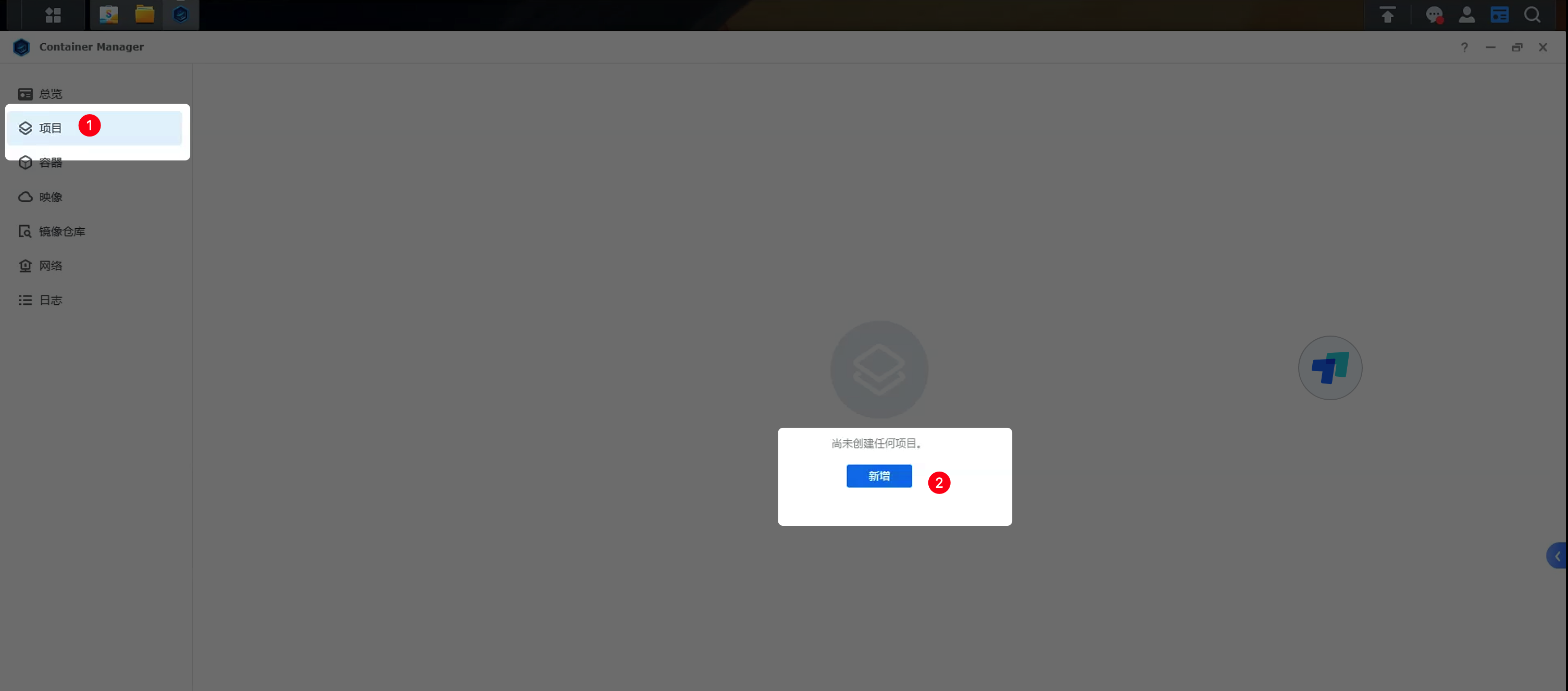
Enter surveyking for the project name, and select the docker/surveyking directory you created earlier.
Select Create docker-compose.yml and paste the following content:
services:
  mysql:
    image: mysql:8.0
    restart: unless-stopped
    command:
      - --character-set-server=utf8mb4
      - --collation-server=utf8mb4_unicode_ci
    environment:
      MYSQL_ROOT_PASSWORD: surveyking
      MYSQL_DATABASE: surveyking
    healthcheck:
      test:
        [
          'CMD-SHELL',
          'mysqladmin ping -h 127.0.0.1 -uroot -p$${MYSQL_ROOT_PASSWORD} --silent',
        ]
      interval: 10s
      timeout: 5s
      retries: 12
      start_period: 30s
    volumes:
      - ./mysql/conf:/etc/mysql/conf.d
      - ./mysql/data:/var/lib/mysql
      - ./sqls:/docker-entrypoint-initdb.d
  surveyking:
    image: surveyking/surveyking:latest
    restart: unless-stopped
    environment:
      SERVER_PORT: '1991'
    ports:
      - '1991:1991'
    volumes:
      - ./files:/app/files
      - ./logs:/app/logs
    depends_on:
      mysql:
        condition: service_healthy
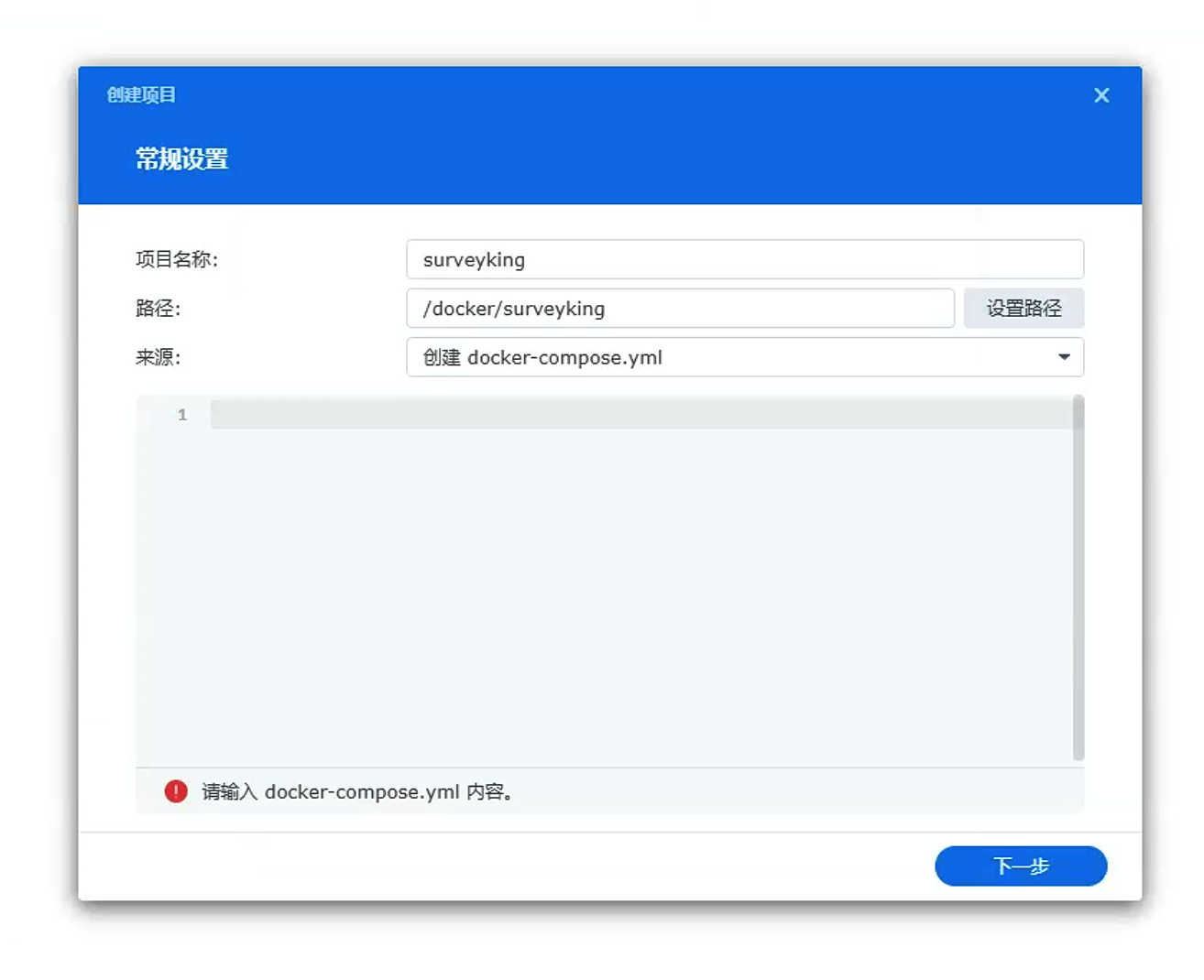
Version v1.12.0 initializes the database on the /setup page; this Compose file does not require importing init-mysql.sql beforehand.
4. Start Project
After confirming the configuration, click Complete. Container Manager will automatically pull the image and start the project.
If it doesn't start automatically, go back to the project list, select surveyking, and click Start.
5. Open and Initialize System
Open the following URL in your browser:
http://synology_nas_ip:1991
If it doesn't redirect automatically, open this URL directly:
http://synology_nas_ip:1991/setup
Select MySQL Database and choose the Docker Compose Built-in MySQL deployment method. If the default values on the page are inconsistent, fill them in as follows:
| Configuration Item | Value |
|---|---|
| Database Address | mysql |
| Port Number | 3306 |
| Database Name | surveyking |
| Username | root |
| Password | surveyking |
Then, proceed with system initialization following the steps in Initialize, Backup and Upgrade. Change the default password after your first login.
Troubleshooting
Why can't my phone access localhost:1991?
localhost only refers to the current device.
To access SurveyKing from your mobile device, use the local network IP address of your Synology NAS, for example:
http://192.168.1.23:1991
Do not enter http://localhost:1991 on your phone; that would access your phone itself, not the NAS.
Why does the /setup page require port 3306, and not 33060?
33060 is the externally exposed MySQL port on the NAS for connecting with database tools.
When the SurveyKing container connects to the MySQL container, it uses the internal network; therefore, enter this in /setup:
mysql:3306
Why are image downloads failing?
First, check if your NAS can access the internet.
If external access is working, add an image pull acceleration address in Container Manager → Registry → Settings, and restart the project.
You can also change the image name in the Compose file to an Alibaba Cloud mirror:
image: registry.cn-hangzhou.aliyuncs.com/surveyking/surveyking:latest
Port 1991 is already in use. What should I do?
Change the following line in the Compose file:
ports:
  - '1991:1991'
to:
ports:
  - '8080:1991'
Save and restart the project, then access http://Your Synology NAS IP Address:8080.
How do I back up my data?
First, export a backup package from the system settings. See Initialize, Backup and Upgrade for backup and restore steps.
If the system is inaccessible, stop the surveyking project and manually copy the mysql/data and files directories.